Commerce7 Club Shipping Choice
A better shipping experience for your wine club members
Give members more flexibility over their club shipments while reducing the customer service time spent managing shipping preference changes.

Club Shipping Choice
Expanded Shipping for Club Members
Give members access to the additional shipping options beyond your default—such as UPS, FedEx, or expedited delivery—right from their profile.
Save Hours in
Customer Service.
Only $10/month.
Must be logged in to C7 for this button to work.
How Club Shipping Choice Works
Your shipping options. Their choice.
1. Install the app in Commerce7
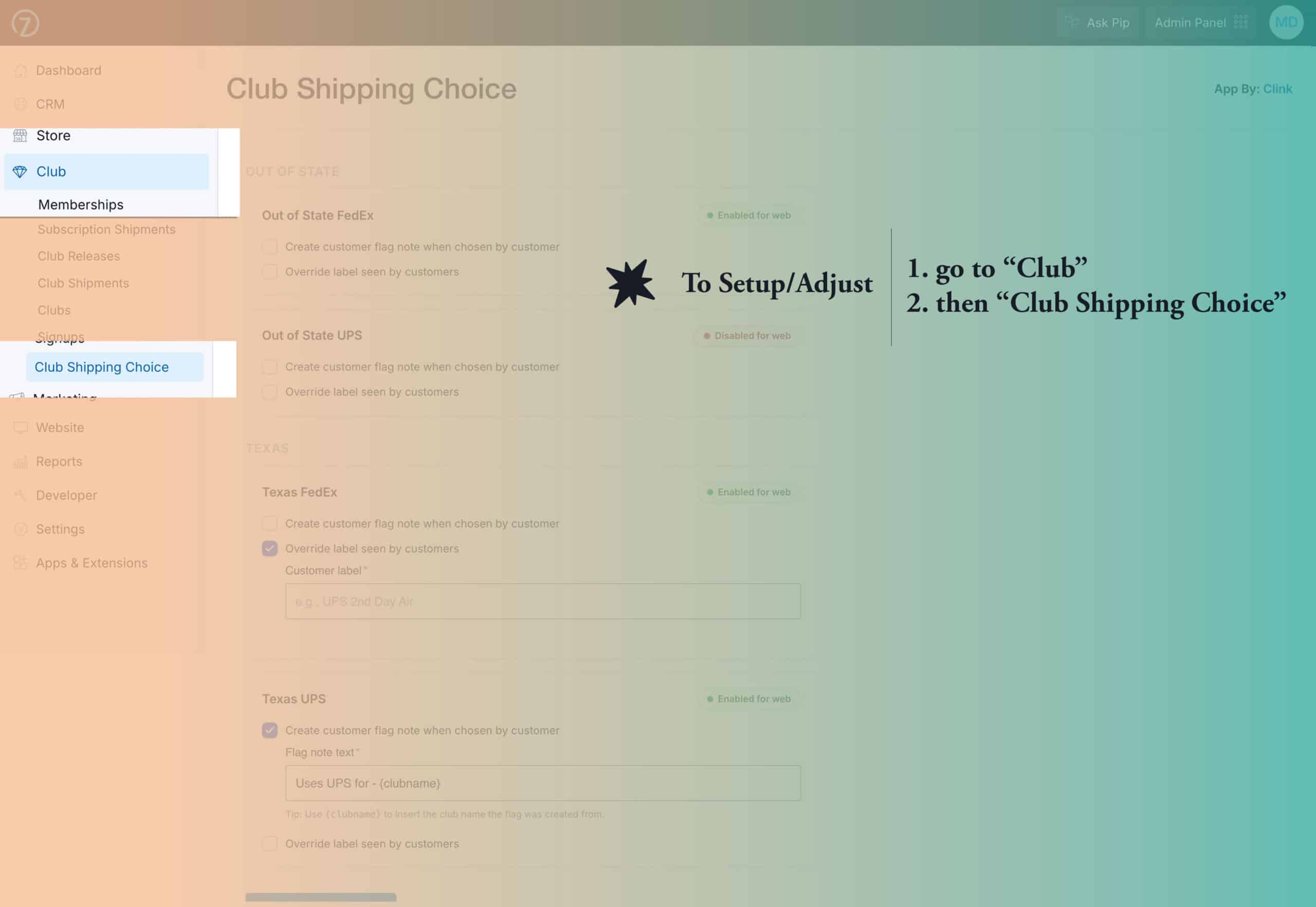
2. Add embed script to your website
Add the following above your website’s closing </body> tag.
<script src="https://clink.monster/embed.js" defer></script>
3. Choose the shipping options
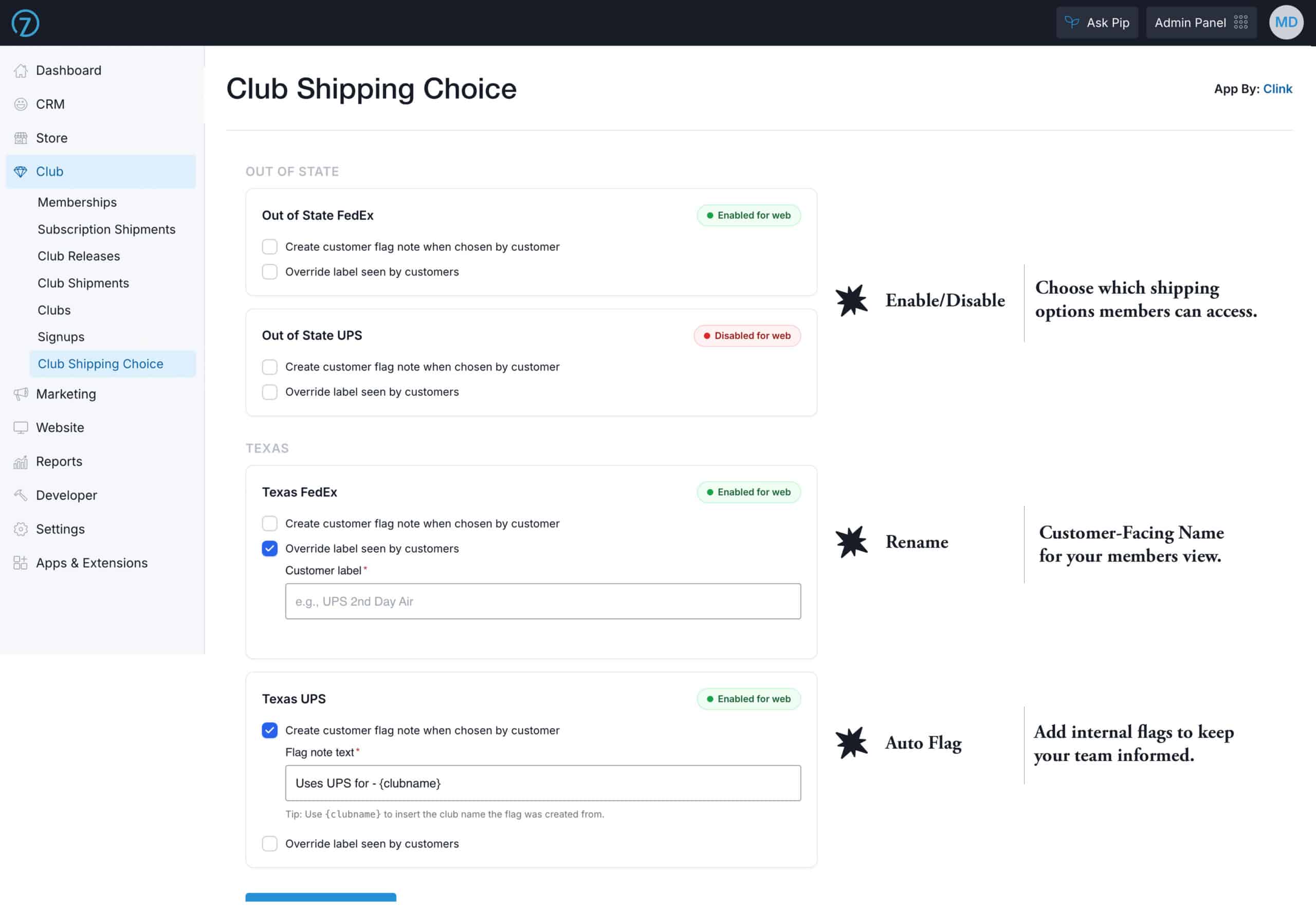
Choose which shipping options members can access, customize customer-facing names, and add automatic internal flags for your team.
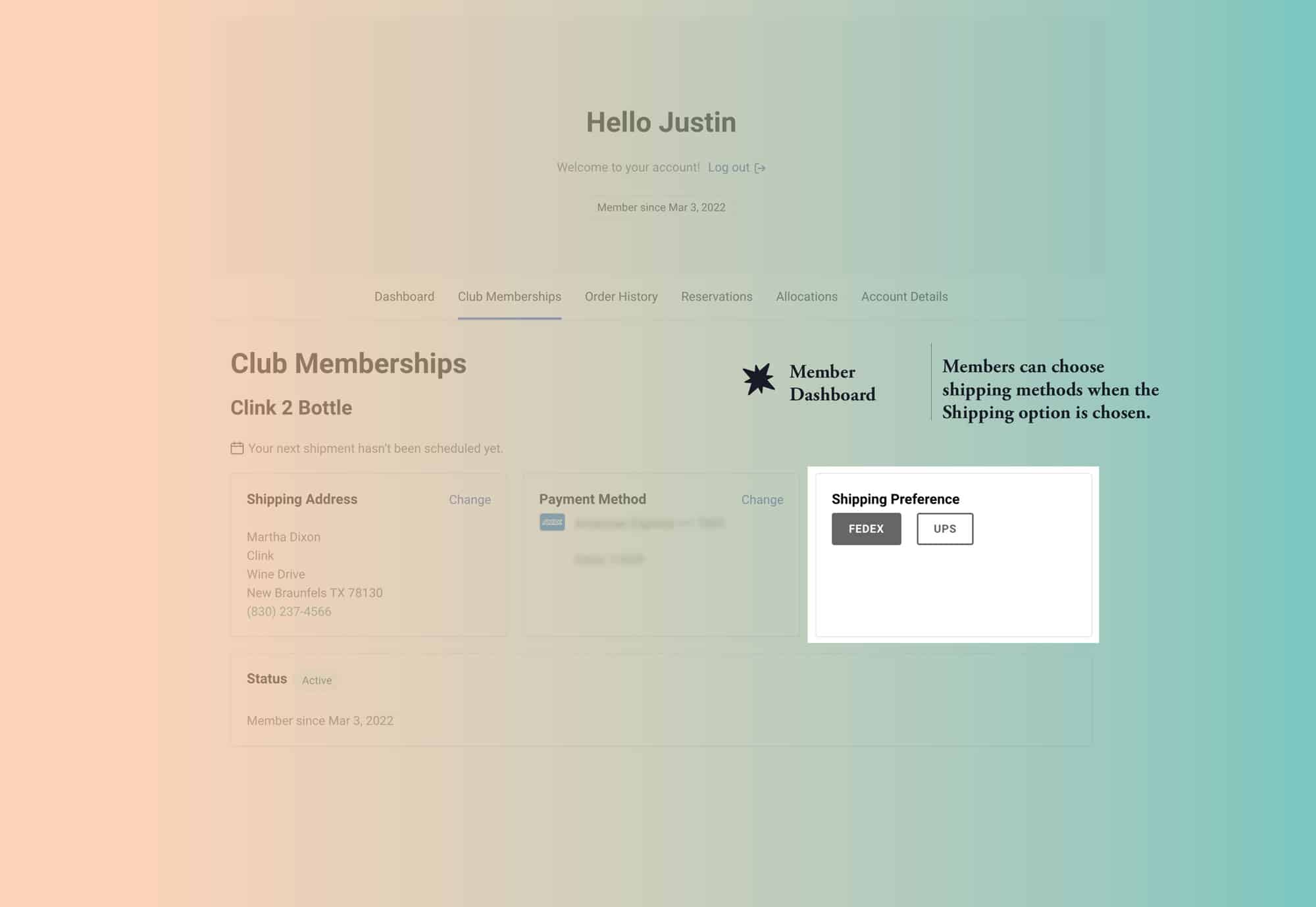
3. Members choose shipping preferences by club
Members choose a shipping method for each club in their profile.
Have a Commerce7 Problem We Haven’t Solved Yet?
Some of our best apps start with a winery asking, “Can Commerce7 do this?”
We work inside Commerce7 every day, and custom development is a big part of what we do. If there is functionality you need that doesn’t exist yet, tell us what you’re trying to accomplish.
It might become the next Clink app.